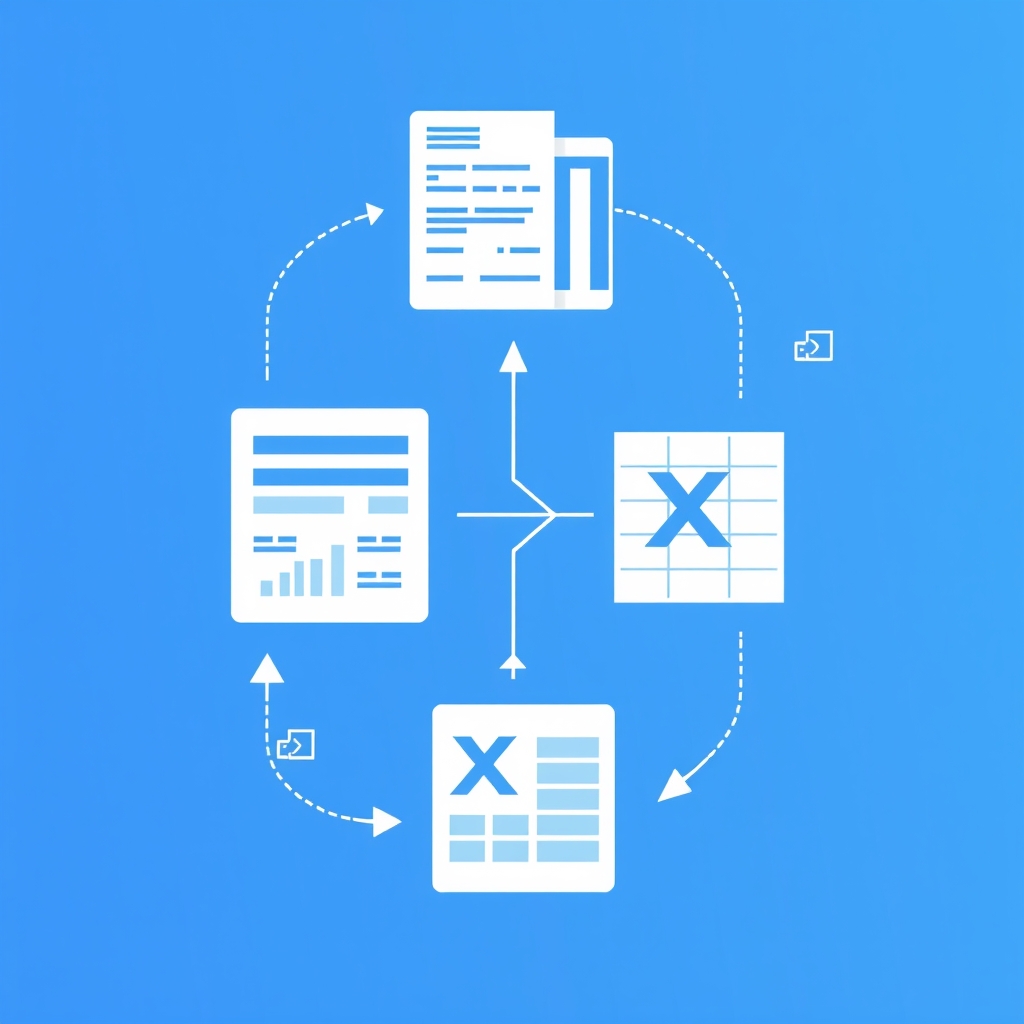
Bank Statement to Excel: Save Hours, Boost Accuracy for Bookkeepers
Busy bookkeepers: Convert PDF bank statements to Excel quickly and accurately with BankStatementToExcel.co. Eliminate manual entry, save 25+ mins per statement.
Advertiser Disclosure
BankStatementToExcel may receive compensation when you click links and purchase products reviewed here. This does not influence our evaluations — our opinions are our own. We independently research, test, and recommend the best products. Learn more
Tired of Manual Bank Statement Data Entry? There's a Better Way.
Are you a bookkeeper or accountant who dreads the monthly ritual of manual bank statement data entry? If you're like many professionals, you're likely spending countless hours painstakingly typing transaction details from PDF statements into Excel spreadsheets or directly into your accounting software. This isn't just tedious; it's a significant drain on your most valuable resource: time.
Consider this: if you process anywhere from 10 to 50 bank statements each month, and each one demands upwards of 25 minutes of manual data entry, the cumulative time wasted is staggering. That's potentially 4 to 20 hours every single month dedicated to a task that offers little strategic value and is prone to human error. Imagine what you could achieve if those hours were freed up for client consultations, strategic analysis, or even just a more balanced workflow.
The good news is, there's a profoundly better way to manage your bank statement data. This article isn't just about identifying the problem; it's about providing a concrete, actionable solution. We'll show you how to reclaim those 25+ minutes per statement and dramatically boost your data accuracy, fundamentally transforming your monthly workflow. You no longer have to settle for the inefficiency and frustration of manual entry.
At BankStatementToExcel.co, we understand these challenges intimately. We offer a professional, practical service designed specifically for busy bookkeepers and accountants. Our solution automates the tedious process of converting bank statement PDFs directly to Excel or CSV, leveraging advanced OCR technology to ensure precision and efficiency. Discover how a dedicated bank statement to excel service can eliminate manual input, reduce errors, and give you back invaluable time, allowing you to focus on what truly matters for your clients and your practice.
The Manual Grind: Why Copy-Pasting Bank Data is Costing You Time & Accuracy
Let's be frank: the manual transcription of data from PDF bank statements isn't just a tedious chore; it's a measurable drain on your firm's most valuable resources. For bookkeepers and accountants processing anywhere from 10 to 50 statements monthly, the cumulative time spent on this "manual grind" quickly escalates from minutes into entire workdays.
Consider this reality: each bank statement, regardless of its originating institution, can easily consume 25 minutes or more of your valuable time. This isn't just about the act of copy-pasting; it includes opening the PDF, navigating pages, meticulously selecting transaction details, and then pasting them into Excel or your accounting software. For a firm handling 20 statements a month, that's over 8 hours lost to this repetitive task alone. If you're managing 50 statements, you're looking at more than 20 hours – half a work week – dedicated to a process that offers minimal strategic value.
Beyond the sheer , the manual approach is a breeding ground for human error. Misplaced decimals, transposed numbers, overlooked transactions, or incorrect categorization are inevitable when dealing with hundreds of data points per statement. These seemingly small errors can snowball into significant discrepancies, leading to frustrating reconciliation issues and, in worst-case scenarios, inaccurate financial reporting for your clients. When you're trying to get a bank statement to Excel, manual entry is, by far, the slowest and least accurate method available, as confirmed by industry guides comparing conversion techniques.
This slow, error-prone method doesn't just waste time; it actively prevents you from focusing on higher-value tasks. Imagine the impact on your firm's profitability and client satisfaction if those hours currently spent on manual data entry were redirected towards financial analysis, strategic advisory, or proactive client communication. The true cost of copy-pasting isn't just the hourly wage of the person doing the work; it's the opportunity cost of what that skilled professional could have achieved instead. It's time to recognize that the manual grind is not sustainable and directly impacts your firm's efficiency and accuracy.
Efficiency: How Automated Bank Statement to Excel Conversion Transforms Your Practice
Automated bank statement conversion tools are revolutionizing how bookkeepers and accountants manage financial data. Leveraging advanced Optical Character Recognition (OCR) and Artificial Intelligence (AI), these solutions extract data from even the most complex PDF bank statements with unparalleled speed and precision. Imagine eliminating the tedious manual entry that consumes valuable hours each month. Instead, AI-powered systems can achieve over 99% accuracy for multi-page statements, ensuring your data is reliable from the start.
The process is straightforward yet sophisticated. These intelligent tools parse intricate PDF layouts, meticulously identifying and extracting every important detail: transaction dates, descriptions, debit and credit amounts, and balances. This raw data is then transformed into a structured, editable format, typically a clean Excel spreadsheet or CSV file. This means no more wrestling with inconsistent PDF formatting or struggling to copy-paste individual transactions. The output is consistently organized, ready for immediate use.
The result is pristine, organized data that's instantly ready for action. Whether you need to import it directly into your preferred accounting software or conduct detailed financial analysis, the converted data simplify your workflow. A key advantage of AI-powered conversion is its adaptability; it accurately parses data even from a wide variety of bank statement formats, including scanned PDFs, making it a strong solution for diverse client needs. This versatility ensures you can process statements from any bank without custom workarounds.
By adopting an automated bank statement to excel conversion solution, you drastically reduce the time spent on manual data entry – a task that is notoriously slow and prone to human error. Instead of dedicating 25+ minutes per statement to painstaking transcription, you can convert dozens of statements in a fraction of the time. This efficiency gain isn't just about saving minutes; it's about freeing up your valuable expertise. It allows you and your team to shift focus from repetitive, administrative tasks to more strategic activities like financial analysis, client advisory, and identifying growth opportunities. This transformation enable your practice to deliver higher-value services and elevate client satisfaction.
BankStatementToExcel.co: Your Practical Guide to Fast, Accurate Data Conversion
For busy bookkeepers and accountants, the sheer volume of bank statements requiring data entry can be a significant drain on time and resources. BankStatementToExcel.co is designed specifically to address this challenge, offering a straightforward, strong process to convert your PDF bank statements into Excel or CSV formats quickly and accurately.
Our practical guide begins with simplicity: you just upload your bank statement PDFs. Whether you're dealing with a single statement or a substantial batch of multiple files – our system handles it efficiently. There's no complex software to install; simply drag and drop your files directly into our secure online platform, ready for conversion.
Once uploaded, our advanced engine takes over. We use modern Optical Character Recognition (OCR) and Artificial Intelligence (AI) to meticulously extract all transactional data. This isn't just about pulling numbers; our technology ensures that text descriptions, numerical values, and the original table structures are accurately maintained. This is particularly important for scanned PDFs, where traditional methods often fail, ensuring you get precise data even from less-than-perfect source documents. Our algorithms are continually refined to deliver over 99% accuracy, even for multi-page statements.
The result is a clean, organized Excel (XLS/XLSX) or CSV file delivered directly to you. This output is designed for maximum compatibility, ready to be imported into virtually any accounting software – from QuickBooks and Xero to Sage – or smoothly integrated into your existing spreadsheet programs like Google Sheets. This eliminates the tedious manual data entry, freeing up valuable time you can redirect to analysis and client advisory. , BankStatementToExcel.co proudly supports thousands of banks worldwide, ensuring complete coverage for your diverse client base, regardless of where your clients bank.
The entire process is engineered for speed, security, and ease of use. We adhere to strict banking standards to protect your data, and by eliminating the need for complex software installations, we ensure a smooth, efficient workflow from start to finish. Converting your bank statement to Excel has never been more practical or reliable.
Beyond Conversion: Concrete Benefits for Busy Bookkeepers and Accountants
Moving beyond the simple act of converting a PDF, BankStatementToExcel offers a suite of tangible benefits designed specifically for busy bookkeepers and accountants. These aren't just features; they are solutions to the daily challenges you face, translating directly into saved time, improved accuracy, and enhanced operational efficiency.
- Significant Time Savings: Imagine reclaiming 25+ minutes for every bank statement you process. For those managing 10-50 statements monthly, this means converting hours of tedious manual data entry into mere minutes. Our batch processing capabilities allow you to transform hundreds of PDF statements in one go, dramatically reducing the time spent on repetitive tasks and freeing you to focus on analysis and client strategy.
- Unrivaled Accuracy: Manual data entry is a breeding ground for errors, leading to reconciliation headaches and wasted time. Our advanced AI and OCR technology ensures over 99% accuracy in data extraction. This means you get clean, organized transaction data, ready for immediate import into your accounting software, drastically minimizing post-conversion cleanup.
- Batch Processing Power: Efficiency is key when managing multiple clients or monthly cycles. Our platform allows you to upload and convert up to 10 files simultaneously, and for larger needs, supports batch conversion of hundreds of PDF statements. This parallel processing capability ensures maximum throughput, turning what used to be a multi-hour task into a swift, automated process.
- Broad Bank Compatibility: Whether you're dealing with statements from major international banks or local credit unions, our service has you covered. We support thousands of banks worldwide, ensuring that regardless of the format or origin of your bank statement, it can be accurately converted to Excel or CSV. Our algorithms are continually updated to handle diverse layouts.
- Enhanced Security & Privacy: Protecting sensitive financial data is paramount. Our processing adheres to strict banking standards, offering secure conversion environments. For privacy, we even provide options for entirely offline conversion, ensuring your confidential information never leaves your local machine. This commitment to security gives you peace of mind.
- Scanned Document Support: Not all statements are pristine digital PDFs. Many bookkeepers encounter scanned or image-based statements. Our advanced OCR technology is specifically designed to accurately extract data from these challenging documents, ensuring that even the blurriest scan yields usable, structured data, leaving no transaction behind. This capability is important for complete record-keeping.
Choosing the Right Tool: Why BankStatementToExcel.co is the Smart Choice
When you're evaluating solutions for converting bank statements, a structured approach saves time and ensures you pick the right tool for your workflow. We recommend considering the following framework: Method → Best For → Speed → Accuracy → Cost. Let's apply this to the most common options available to bookkeepers and accountants.
Manual Entry: This involves painstakingly copying and pasting or typing data from PDF bank statements into Excel or your accounting software.
- Best For: Realistically, almost no scenario for a professional. Perhaps a single, infrequent statement if you have absolutely no other option.
- Speed: Extremely slow. If you're processing 10-50 statements monthly, you know this method wastes 25+ minutes per statement.
- Accuracy: Highly error-prone due to human fatigue and transcription mistakes.
- Cost: High, not in direct fees, but in wasted billable hours and the potential for costly errors and rework.
Direct Bank CSV Export: Many banks offer the ability to download transaction data directly as a CSV file from their online portals.
- Best For: Ideal if all your client banks consistently offer this feature and provide clean, standardized formats.
- Speed: Fast, as the data is already digital.
- Accuracy: High, as it comes directly from the bank's system.
- Cost: Free.
AI-Powered Converters (like BankStatementToExcel.co): This category use advanced Optical Character Recognition (OCR) and artificial intelligence to intelligently extract data from various bank statement formats, including PDFs and scanned images.
- Best For: Bookkeepers and accountants processing 10-50+ statements monthly, especially those dealing with diverse bank formats, scanned documents, or needing to convert a bank statement to excel for multiple clients.
- Speed: Extremely fast. BankStatementToExcel.co can process statements in seconds, even supporting bulk uploads for significant time savings.
- Accuracy: Very high, often exceeding 99%. Our algorithms are continually improved to ensure precision, as noted in our commitment to accurately convert PDF bank statements to CSV.
- Cost: Subscription-based, but offers substantial ROI by drastically reducing manual data entry time and improving accuracy.
Beyond the Spreadsheet: Leveraging Your Converted Data for Deeper Financial Insights
Once your bank statements are accurately converted to Excel or CSV, the real strategic work begins. This isn't just about moving data; it's about transforming raw information into actionable intelligence, freeing you from the drudgery of manual entry and allowing you to focus on what truly adds value for your clients. The initial step of converting a bank statement to Excel is merely the gateway to a more efficient and insightful financial workflow.
Smooth Integration with Accounting Software
The clean, structured data you receive from a reliable conversion service is immediately ready for prime time. Forget tedious manual input into your accounting platforms. With data exported to a clean CSV or Excel format, you can effortlessly import transactions directly into popular software like QuickBooks, Xero, or Sage. This smooth integration ensures efficient reconciliation, drastically reducing errors and saving precious hours that would otherwise be spent cross-referencing entries. Our OCR and AI-powered parsing ensures the data is accurate and consistent, making your accounting software imports smooth and reliable, whether you're processing one statement or a batch of ten.
If you're like many professionals, an effective Excel converter for statements can help you automate data entry and improve accuracy.
Are you a bookkeeper or accountant who dreads manual data entry? This comprehensive guide to saving hours can transform your workflow.
If you're spending countless hours typing transaction details, it's time to efficiently convert PDF to Excel and reclaim your valuable time.
Enhanced Financial Analysis
With your bank statement data now in a flexible spreadsheet format, you powerful analytical capabilities. Use Excel's strong features to categorize transactions with precision, create dynamic pivot tables to summarize spending, and track patterns over time. This level of detail allows you to generate custom reports that go far beyond basic balances, providing deep insights into cash flow, operational expenses, and revenue streams. Identifying trends and anomalies becomes straightforward, enabling you to offer proactive advice rather than reactive reporting. This is where the true value of accurate, structured data shines, transforming raw numbers into strategic insights.
Simplify Audits and Compliance
Preparing for audits can be a significant drain on resources. However, when your financial data is consistently organized, accurate, and easily accessible, the process becomes significantly faster and less stressful. Converted bank statements provide a clear, digital , making it simple to retrieve specific transactions, verify balances, and demonstrate compliance. This level of organization not only saves time during an audit but also instills greater confidence in the integrity of your financial records. The consistency provided by automated conversion minimizes discrepancies that often arise from manual entry, making audit trails impeccable.
Improved Client Advisory Services
Imagine reclaiming the 25+ minutes you currently spend manually entering data for each of the 10-50 bank statements you process monthly. That time, once dedicated to repetitive tasks, can now be reinvested into higher-value client advisory. By automating the bank statement to Excel conversion, you gain the capacity to analyze financial health more deeply, identify opportunities for cost savings or growth, and provide strategic recommendations that truly impact your clients' businesses. This shift transforms your role from data processor to trusted financial advisor, strengthening client relationships and elevating your practice.
Frequently Asked Questions
How do I convert a PDF bank statement to Excel for free?
While a quick search will reveal numerous online tools offering free trials or limited free conversions, it's important to differentiate between casual use and professional-grade requirements. Many platforms, including Formula Bot, offer free trials to convert bank statement PDFs to Excel instantly, providing a glimpse into the convenience of automation. Similarly, re:cap claims 100% free, unlimited uploads for clean CSV/Excel output. However, for bookkeepers and accountants processing 10-50 statements per month, relying solely on free, often limited, tools can quickly become counterproductive. These free options may lack the strong features, consistent accuracy, or batch processing capabilities essential for high-volume work. BankStatementToExcel.co provides competitive pricing tailored for professional volume, ensuring you get the accuracy and efficiency you need without hidden costs or limitations. While you can certainly try our service to experience the difference, investing in a reliable solution for your bank statement to Excel conversion needs saves you significant time and reduces errors compared to piecemeal free options.
What is the best software to convert bank statements to CSV?
The "best" software for converting bank statements to CSV or Excel largely depends on your specific volume, the diversity of bank formats you encounter, and your need for accuracy. For professionals, a solution that offers high accuracy, strong batch processing, and broad bank compatibility is paramount. BankStatementToExcel.co is highly rated precisely for these reasons. Our AI-powered conversion technology, similar to that offered by VeryPDF Table Extractor, boasts over 99% accuracy for multi-page statements, ensuring your data is extracted precisely. We support thousands of banks worldwide, meaning you can confidently process statements from virtually any financial institution. The ability to output data into both Excel (XLS/XLSX) and CSV formats provides the flexibility you need for various accounting software integrations. When you're spending 25+ minutes per statement on manual entry, a reliable converter that consistently delivers clean, organized transaction data is not just a convenience—it's a critical tool for reclaiming valuable time and enhancing the integrity of your financial records.
Can I convert scanned bank statements to Excel?
Absolutely, converting scanned bank statements to Excel is a core capability of advanced conversion tools. Manually transcribing data from a scanned PDF is one of the most time-consuming and error-prone tasks for bookkeepers, often taking well over 25 minutes per statement. Fortunately, advanced Optical Character Recognition (OCR) technology, like that use by BankStatementToExcel.co, is specifically designed to tackle this challenge. Our system can accurately extract data from even scanned or image-based PDF bank statements with over 99% accuracy, transforming unstructured images into organized, editable Excel spreadsheets. This means that even if your client provides a poorly scanned document, our technology can intelligently interpret the data, including text, numbers, and table structures. This capability is a major improvement for firms dealing with a mix of digital and physical documents, ensuring that what used to be a tedious, error-prone task can now be completed in moments, significantly boosting your productivity and data reliability.
How accurate are AI tools for bank statement extraction?
Reputable AI tools for bank statement extraction, including the advanced technology employed by BankStatementToExcel.co, consistently boast over 99% accuracy. This level of precision is a monumental leap forward compared to manual data entry, which is inherently prone to human error, especially when dealing with repetitive tasks or complex multi-page statements. Our algorithms are continually improved to recognize diverse bank formats and transaction patterns, ensuring that every piece of data—from dates and descriptions to debits and credits—is captured correctly. This high accuracy rate, as highlighted by sources like VeryPDF Table Extractor, means you can trust the converted data for your financial analysis and reconciliation processes. For bookkeepers and accountants, this translates directly into significant time savings; less time spent on error correction means more time for strategic tasks. The reduction in manual errors also strengthens the integrity of your financial reports, providing greater confidence in your numbers and reducing the risk of costly discrepancies.
Is it safe to upload bank statements to online converters?
The safety and security of your clients' financial data should always be your top priority when choosing an online converter. When selecting a service for bank statement to Excel conversion, it's important to prioritize providers that emphasize strong security measures, stringent data privacy policies, and compliance with banking standards. BankStatementToExcel.co understands these concerns deeply. We offer secure processing environments, ensuring that your sensitive information is handled with the utmost care. For maximum privacy and peace of mind, we also provide offline conversion options, as noted by the Microsoft Marketplace source, allowing you to process hundreds of PDF statements without ever uploading them to an external server. This offline capability means your data remains entirely within your control, addressing concerns about cloud storage or data breaches. Always choose a trusted converter that clearly outlines its security protocols and privacy commitments, safeguarding your data with strict banking standards, rather than opting for unknown or unverified free services that may compromise confidentiality.